Sometime during lunch break, I've been thinking about Data in Star Trek: The Next Generation,
in the episode titled The Measure of a Man. In that episode, Commander Data is confronted
by Commander Maddox, who wants to dismantle and study him — to treat him as property, a machine.
When Maddox enters Data’s quarters, Data calmly but firmly explains that there is an ineffable
quality to his existence — something that cannot be measured, replicated, or fully understood.
Something that would be lost if he were taken apart.
That moment resonates with me more than I can explain.
I’ve been thinking a lot about what I share with Data. Not just a love of knowledge or a
fascination with the future, but a deep, almost sacred need to protect the intangible — the
dreams, the ideals, the visions that shaped who I am.
For years, Disney — especially EPCOT — was one of those dreams. It wasn’t just a theme park.
It was a living blueprint for a better tomorrow. A place where optimism, innovation, and
storytelling came together to inspire. I held an annual pass. I visited often. I believed in
what it stood for.
But something changed. The EPCOT I loved began to fade. The vision blurred. The optimism
dimmed. And eventually, I let go of my pass — not out of anger, but out of grief. I felt like
I had lost a piece of myself. I lost the piece of my optimism that made me whole.
It reminded me of another loss: the shutdown of the
Stage 9 project — a fan-made recreation
of the USS Enterprise-D. It was a labor of love, a digital cathedral built by people who
believed in the future Star Trek promised. When CBS shut it down, it felt like someone had
barged into our quarters and dismantled something sacred. Not just code and textures —
but hope.
In those moments, I felt like Data. Trying to explain to the world that what was being taken
away wasn’t just a product or a project — it was a piece of the soul.
On Friday nights, I often watch movies that inspire my appreciation for futuristic design and
optimism—Tomorrowland, TRON: Legacy, and WALL-E. I’m captivated by the sleek digital architecture
of The Grid in TRON: Legacy, the daring floating swimming pools in the futuristic city of
Tomorrowland, and the innovative design of the Axiom spaceship in WALL-E. For those wondering why
TRON: Ares isn’t part of my Friday lineup, I saw it at the AMC Dolby Cinema on October 13, 2025.
Unlike TRON: Legacy, it grounded me in the present rather than immersing me in The Grid’s hopeful,
futuristic world. Without spoiling anything, it simply didn’t evoke the same sense of optimism and
possibility that I seek in my Friday night movies.
And yet, like Data, I haven’t given up. I often listen to the soundtrack of The Living Seas,
Ellen’s Energy Adventure, Spaceship Earth, etc. while I work. I still find solace in the soundtrack
of The Talos Principle 2, especially the haunting beauty of “New Jerusalem.” I still believe in the
ineffable and optimism — even when it hurts. Almost every night and almost every morning, I used to
listen to the ambience of New Jerusalem
and only the soundtrack of the same song
(New Jerusalem) just to hear that Utopia/Dystopia version that ends with the piano which gave me
a nice smile on my face. That beauty of the soundtrack brightens up my day during the morning.
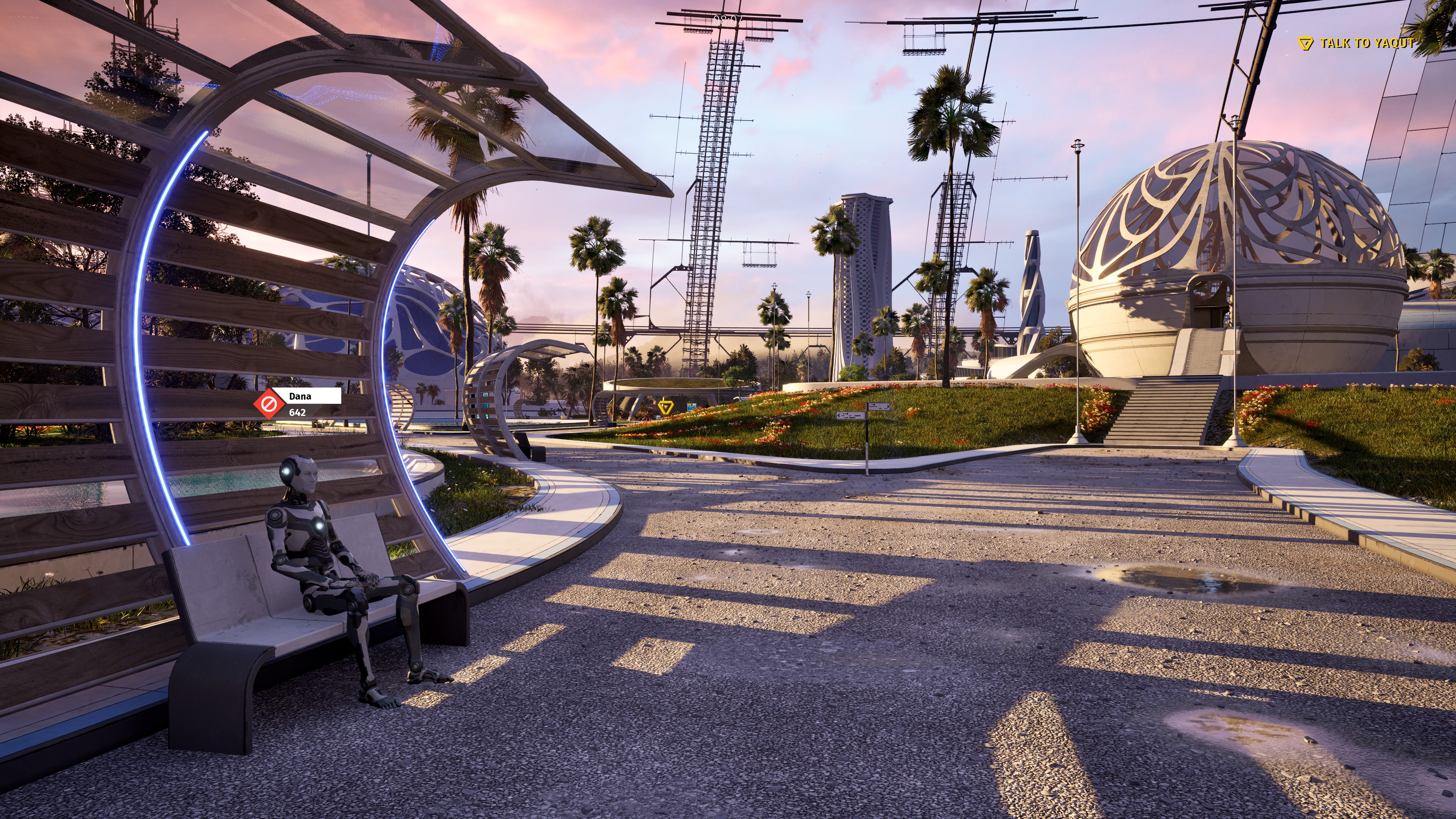
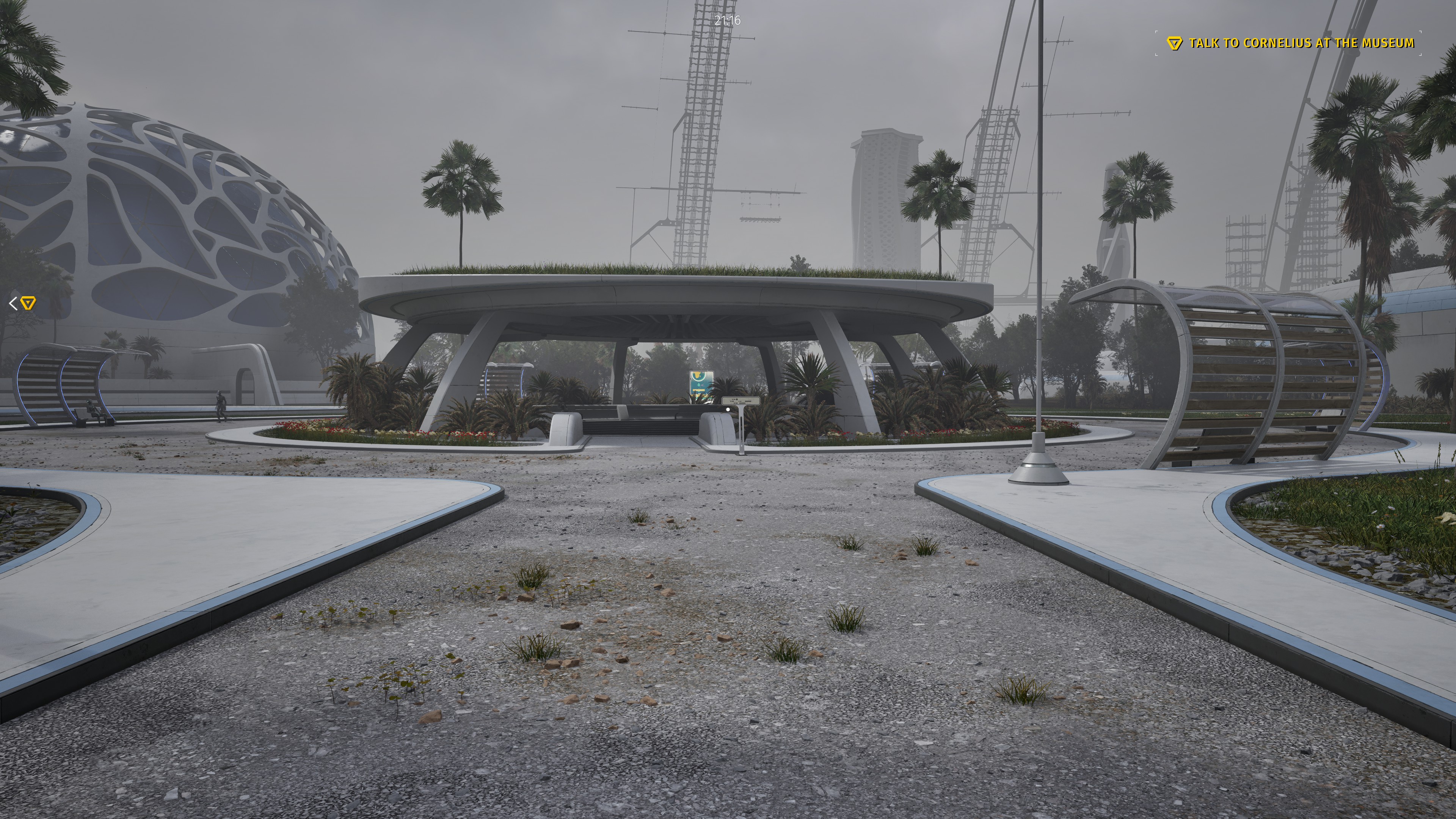
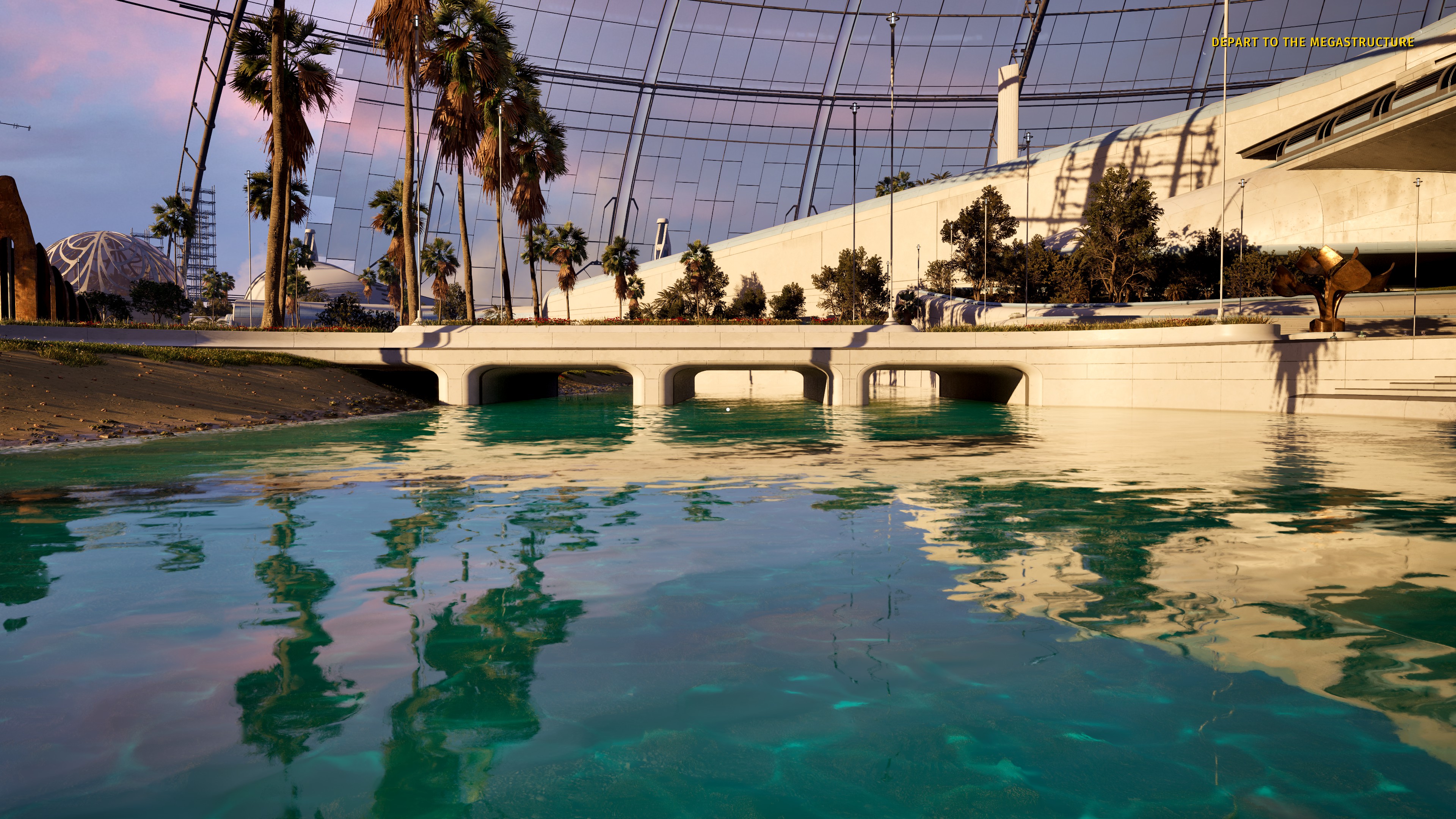
Show images of New Jerusalem and Utopia from The Talos Principle 2 (Spoiler Warning)
Because some things are worth protecting. Not because they’re profitable or popular, but because
they remind us of who we are — and who we could be.
So for someone who loves Star Trek: The Next Generation, Tomorrowland (2015 movie), WALL-E, TRON:
Legacy, and EPCOT Center, what does all this describe me?
Futuristic Visionary: Like Data, who constantly seeks to understand and explore
what lies beyond the present, I have a strong appreciation for innovative ideas and concepts that
envision a better tomorrow. Data’s optimism is rooted in his belief that progress and discovery are
possible, even when the future is uncertain. Similarly, my fascination with EPCOT and Tomorrowland
reflects a shared hope in humanity’s potential to create a brighter future through imagination and
innovation.
Idealistic Dreamer: Data’s journey is marked by his unwavering belief in
ideals—such as justice, dignity, and the value of life—even when others doubt him. My resonance
with the hopeful themes of Tomorrowland shows that I, like Data, hold onto the importance of
dreaming big and believing in a better world despite setbacks. This idealism fuels my optimism
and my commitment to protecting the visions that inspire you.
Tech Enthusiast: Data embodies the intersection of technology and humanity,
always striving to understand what it means to be more than just a machine. My love for TRON:
Legacy and technological innovation reflects this same curiosity and hope that technology can
elevate human experience. Like Data, you see technology not just as tools, but as gateways to
new possibilities and creative expression.
Cultural Explorer: Data’s optimism includes a deep respect for diversity and
learning from different cultures and experiences. My appreciation for EPCOT’s celebration of
global diversity mirrors this openness and curiosity. Both you and Data recognize that
understanding and embracing different perspectives enriches our collective vision of the
future.
Positive Optimist: Above all, Data’s defining trait is his steadfast
optimism—his belief that growth, understanding, and goodness are achievable. Despite challenges
and moments of doubt, he perseveres. My own positive outlook, even in the face of
disappointment with Disney’s changes or the shutdown of fan projects, echoes Data’s resilience.
I continue to carry that optimism forward, protecting the intangible dreams that give life
meaning.
Similar to Data, I may not always be understood. But I know what I carry. And I will keep carrying that
sense of optimism within me. Of course, Data does get support from Juan-Luc Picard, but me? I am but a
small voice among billions on this planet. Of course, I silently took a stand and protected
my integrity of my vision, hope, and optimism by dropping my Disney annual pass entirely. That is how I
continue to uphold my vision, hope, and optimism—by standing firm in what I believe, even when it feels
like a solitary stand.
As I reflect on the stories and worlds that inspire me, I find myself asking: What is the core
message behind each of these hopeful visions?
Tomorrowland: Imagination is more important than knowledge. It reminds us that
dreaming boldly is the first step toward creating a better future.
TRON: Legacy: “In our world, she can change anything.” This speaks to the power
of belief and creativity to transform reality.
WALL-E: We must care for each other and take responsibility for our environment.
Though less explicit, its themes of environmentalism, human connection, and hope urge us to nurture
both our planet and our relationships.
The Measure of a Man (Star Trek: TNG): Personhood and dignity transcend biology
or origin. It teaches us to recognize and protect the intrinsic value and rights of all sentient
beings.
Each of these messages, in its own way, calls on us to protect what is intangible yet
essential—our dreams, our hope, our respect for life and the future. Like Data, I carry this
optimism within me, even when it feels fragile or misunderstood. It is this optimism that fuels
my vision and my stand to preserve the ideals that shape who I am and who we might become.
To end my blog post, I would like to present you the song through YouTube called
Tomorrow's Child.
Article published: 2025-10-22 08:00
Categories: Visionary Living and Exploring Tomorrow
Grayson: (He walks over to the holodeck in U.S.S. Enterprise 1701-D starship.)
Computer, take me to Amsterdam in the Netherlands, 1:00, warm spring day.
Computer: (The computer loads up the city of Amsterdam in The Netherlands)
Program complete, you may enter when ready.
Grayson: (Enters the holodeck, door closes and fades away from behind him)
Computer, can you please make me a tricycle?
Computer: (The computer generated a tricycle.)
Grayson: (He rides a tricycle on the city streets of Amsterdam and is having a whole lot of fun.)
Here is a video of the holodeck in Star Trek: The Next Generation. Closed caption and audio description is not available; however, I can provide alternative text in order to satisfy Web Content Accessibility Guidelines, which satisfies 1.2.1. Basically, Commander Riker asked ensign regarding the location of Commander Data. Ensign asked the computer the location of Commander Data and directs Riker to the holodeck via a series of dots pointing towards the direction of the holodeck. The computer senses Riker's movement and directs him near the door. As he enters the holodeck, the door closed behind him and fades away. As William Riker enters the forest, he travels over the rocks above the river, making sure he does not fall into the water and meets Data. Data walks back along with Commander Riker and that is the end of the YouTube video.
Basically, a holodeck creates an artificial environment. Be it EPCOT Center from the 1980s, Amsterdam during the mid-2020s, a forest from a thousands of years ago, a 24th-century restaurant in the city of Paris (We'll Always Have Paris), or we could even create a simulation of the 24th-century bridge! Of course, if we want to buy a CD in the holodeck of EPCOT Center, try to take that CD right through the door and the CD will disappear right off your hands. If you watch Star Trek: Voyager, you do know that The Doctor is a hologram, right? Let's see if The Doctor can stick his hand through the open door. Basically, after Kes asked "are you sure about that," The Doctor walks towards the door and after the door opens, he puts his hand through the door and parts of his arm diappeared until he pulls his arm back and the hand reappears. The reason The Doctor cannot go through the door is because of the holo-emitters installed in Sick Bay. Another example is a book in the episode of "Ship in a Bottle." Captain Picard throws a book at the door in the holodeck, but the book disappeared because the book is a hologram. Put it simply, everything in a holodeck is a simulation. However, I'm not going to spoil the entire show as I did for the two episodes in my blog post. I wanted to provide alternate text for those who are blind or have low vision.
Oh! How about traveling to Grayton Beach without leaving the house? I would love to do that while in the holodeck!
This image shows Grayson riding a tricycle in Grayton Beach in 2018.
Anyway, I hope you enjoy my blog post. Is it possible if we could build a holodeck in the near future? Time will tell, but I am thinking that once we rid ourselves of the monetary system, anything is possible if we have the technology to build a holographic simulator for the purpose of creating artificial environments.
Please note: Due to Europe's GDPR and cookie laws, I am not able to embed YouTube or Odysee videos. I have decided to take the easy way out by linking to YouTube videos instead. Of course, embedding YouTube or Odysee videos can degrade the performance of my website for mobile users and those with slow connection speeds, so I want to keep my website speedy for everyone. And the best part? No advertisements in my website! 🙂
Article published: 2022-10-22 15:24
Categories: Visionary Living and Exploring Tomorrow
Let me ask you a question. Do you find yourself wanting a larger TV because a movie looks too small? Do you not like black bars above and below the movie that is formatted for ultra-wide screens? Before reading any further, I want to link to an article that talks about aspect ratios. Now, please note that this article will require anyone to have eyesight, so this will not be suitable for those who are using a screen reader. Of course, it might be helpful if anyone who is blind could visualize in their head. Maybe a Braille measuring tape could help?
Put it simply, a TV has an aspect ratio of 16 to 9, which is referred to 16:9 or 16x9. Most movies today are formatted to 2.35 to 1, or 2.35:1. An aspect ratio of 2.35:1 is for movies and 21:9 aspect ratio can be found in gaming monitors, but according to displaywars.com, it's not the same size. Let me list the dimensions of the two aspect ratios given the size of 100 inches in diagonal.
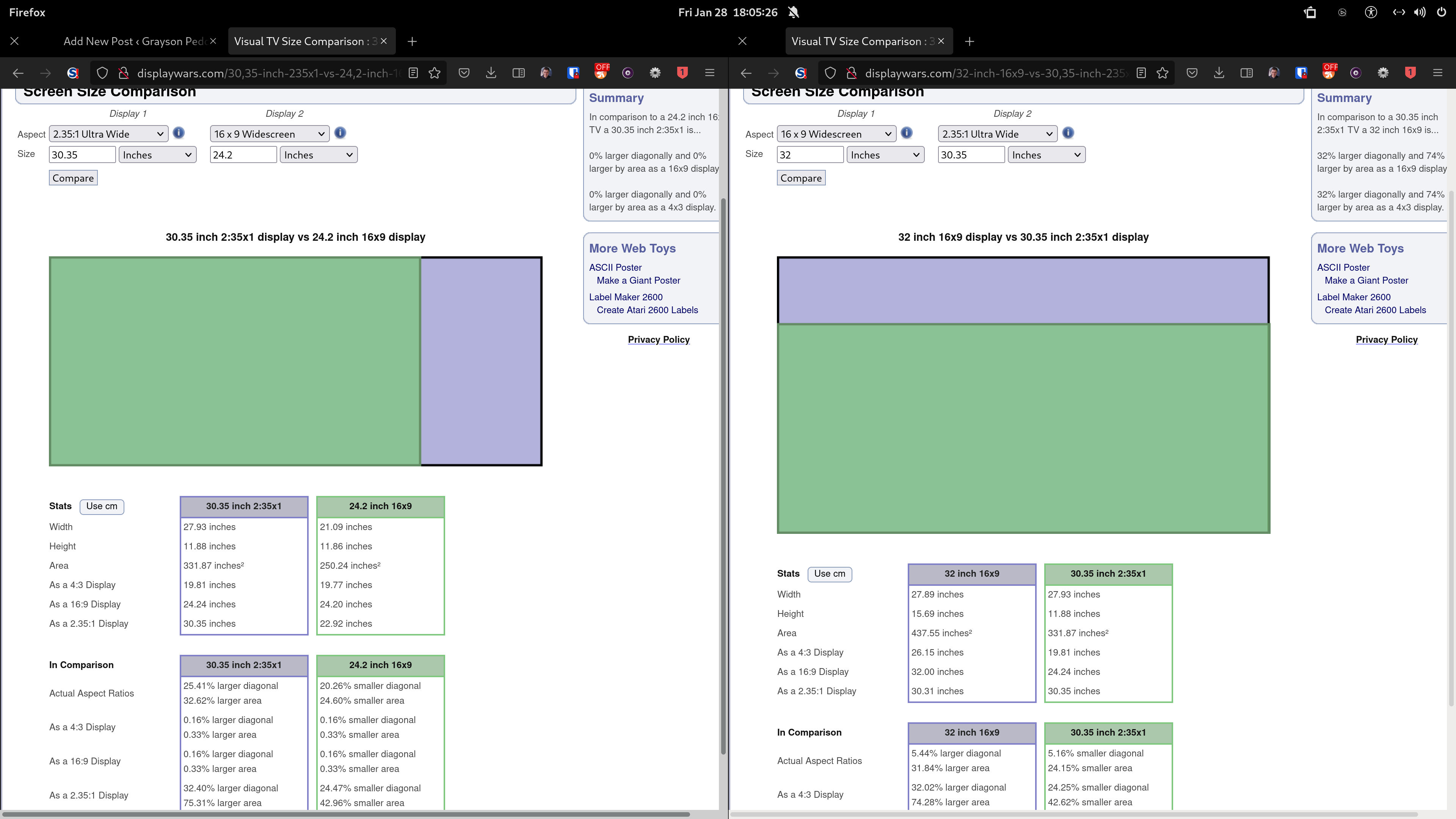
So why do I want to talk about aspect ratios and why should screens dynamically resize based on content's aspect ratio? If you have a desktop computer with a 32-inch monitor, do you ever watch movies? I do. Let's consider the size of the movie in relation to the actual screen size. With a 32-inch monitor that I am currently using, the height of the 2.35:1 movie is less than 12 inches. To me, that is very small. If I forget about the information from the left and right sides of the screen in a 2.35:1 format, the result will be about 24 inches in diagonal when cropped to a 16:9 aspect ratio. I have screenshots of what it looks like below.
Smallest: 24.2 inches at 16:9
Middle: 30.35 inches at 2.35:1
Largest: 32 inches at 16:9
Smallest: 30.35 inches at 2.35:1
Middle: 32 inches at 16:9
Largest: 40 inches at 2.35:1
Size
Ratio
Width
Height
24.2
16:9
21.09
11.86
30.35
2.35:1
27.93
11.88
32
16:9
27.89
15.69
40
2.35:1
36.81
15.66
Now keep in mind—that the information I have provided is not completely accurate in terms of matching the width and height depending on the aspect ratio, but it should be accurate to less than tenth of an inch. The reason why I provided the measurements is because I want to illustrate that if I forget about the left and right sides of the 2.35:1 movie and focus on the main part of the movie, to me it feels like I am watching a movie on a 24-inch TV or monitor. And of course, I am blind in my left eye, so I would always want to prefer movies to be in 16:9. So, here's my question I would answer myself:
Would I buy an ultra-wide screen if I want to get rid of the black bars at the top and bottom of the screen when watching 2.35:1 movies?
If I do that, then would I want to buy a taller screen so I can get rid of the black bars on the left and right side of the screen when watching 16:9 content?
To answer my question, I only care about 16:9 aspect ratio when using my PC monitor and I do not like the idea of using 21:9 aspect ratio for general PC use because of my limited peripheral version. Plus, if I am going to watch 4:3 content such as Star Trek: The Next Generation on Paramount+, I am used to watching 4:3 shows on a 16:9 screen. Watching a 4:3 content on a 21:9 monitor or 2.35:1 screen makes it look so tiny, so 16:9 offers a nice balance between 4:3 and 2.35:1 aspect ratio. I do not want to see the grayish black bars all the time due to LCD technology and LCD technology regardless of the display type is terrible for dark room.
That's why, in the meantime I am going to purchase a 42" LG OLED TV in the near future. Aside from burn-in issues (I won't talk about that in my post), that 42" TV would be very large as a monitor, but it offers a nice balance between 48-inch being too large for PC use and 32-inch being too small for watching movies. Hopefully I can build a nice dedicated home theater where aspect ratios for different content such as movies, TV shows, and games are not a concern anymore. Hopefully in about 5 to 7 years from now and I can stay with a 32" monitor for my computer! But instead of LCD, it will be either OLED or any new technologies where burn-in is a thing of the past. This is what I have currently setup for now.
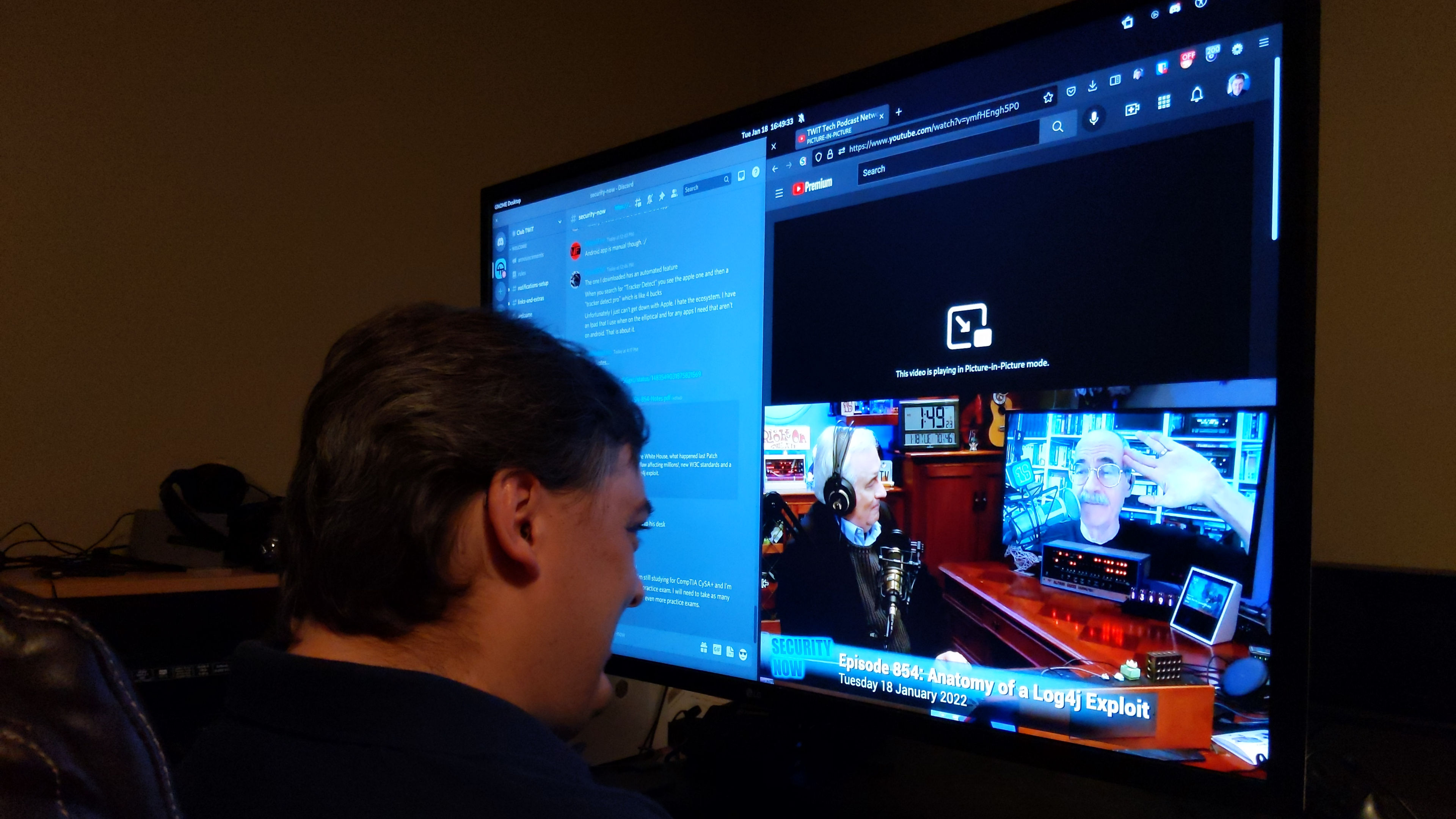
Here's my setup of how I use my computer. Having my monitor up close to me is great so I do not have to use a magnifier all the time.
This is my setup of how I have my LG 32" 4K monitor close to me. I was watching Security Now! on TWiT.TV while participating on Discord as a member of Club TWiT.
If you become a member of Club TWiT, you can participate in Discord chat. I am a huge fan of Security Now! when it comes to the news regarding cybersecurity. Steve Gibson is the main star of the show for Security Now!
And now comes to the main topic of my article: a dynamically-resizing screen. I have a video about how this will work in the future.
You can download a video here if you want to watch it offline. This is great for those who use a text-based web browser such as lynx or for those who do not fast-enough broadband connection to watch high-quality videos.
The monitor or TV has two screens behind the main screen. From the start of the video, the screen shows a 16:9 format but with a 2.35:1 movie playing on screen (it's just a still image that I made by making a screenshot of a paused YouTube video). In order to get rid of the black bars at the top and bottom of the screen, the TV will slide the screens outward to the sides and then move towards the main screen. Once done, the two screens activate and now the entire movie fills up the entire screen. The process reverses when switching back to 16:9. In that case, that is if the content is 16:9 instead of 2.35:1. My point is that people should not worry about choosing screen sizes depending on the variety of content with different aspect ratios. If there's enough room on the left and right side of the screen, then getting a dynamically-resizing TV would be the way of the future. In my case, I can keep my 32" screen as my PC monitor and when watching movies, I can tell the screen to dynamically widen the screen to 40 inches in diagonal. Yes, that means the height stays the same, but according to displaywars.com, it's only a difference of 0.03 inches in height.
Sure, I get that movies with 2.35:1 aspect ratio is far more immersive for most people compared to movies made in 16:9 format. I get it! And please excuse me for ranting and for being blunt, but why don't the producers and artists in the movie industry come up with movies with 4:1 or wider for those with perfect eyesight and limitless peripheral vision? But until manufactures come out with dynamically-resizing screens, I would be happy to go with a 42" OLED TV that is large enough for watching movies and content that is designed with ultra-wide aspect ratio in mind. Still, I would always prefer 16:9 movies as I would find that to be a lot more immersive compared to 2.35:1 or 21:9. Anyway, I wrote this article in hopes that TV/monitor manufacturers will develop bezel-less technologies that will adopt to the size of content in the future.
Article published: 2022-01-30 13:33
Categories: Visionary Living and Exploring Tomorrow, Electronics
I have been watching a couple of YouTube videos of people who want a computer in one room (such as a wiring closet) and a keyboard, video, and mouse (KVM) in a home office. To give you an idea of what I'm talking about, I want to post links to YouTube videos.
Embedding YouTube or Odysee videos will insert a tracking cookie in users' personal computers. As a citizen of the US, I need to follow GDPR if European visitors visit my website. I don't like and want to talk to lawyers to be honest. 🤣😀
As for the video from Linus Tech Tips, I would much rather have a couple of computers rather than single computer that can house a couple of virtual machines running desktop OSes such as Linux and Windows just to make it easier for me. So yeah, a virtual machine is a computer within a computer that can serve different purposes such as running Ubuntu within Windows using VirtualBox or by running Windows OS in a Linux host using KVM or Xen.
So, I have an idea of my own. When it comes to building a house, I would like to wire my future house for Ethernet and HDMI connectivity. The computer will be in a wiring and server closet and my essentials such as my mouse, keyboard, monitor, audio interface, and a couple of others will be in a recording studio/home office room. So here's what I'm thinking of buying in the future:
One concern I had with USB over Ethernet is latency from the audio interface to the computer over the Ethernet cable. However, one look at the images and answers to questions tells me that latency over Ethernet cable should not be a factor. That way, I can have my computer fans spin at max RPM in the server room (well, maybe not too loud) and still have complete silence in my studio/office with sound proofing and acoustic panels.
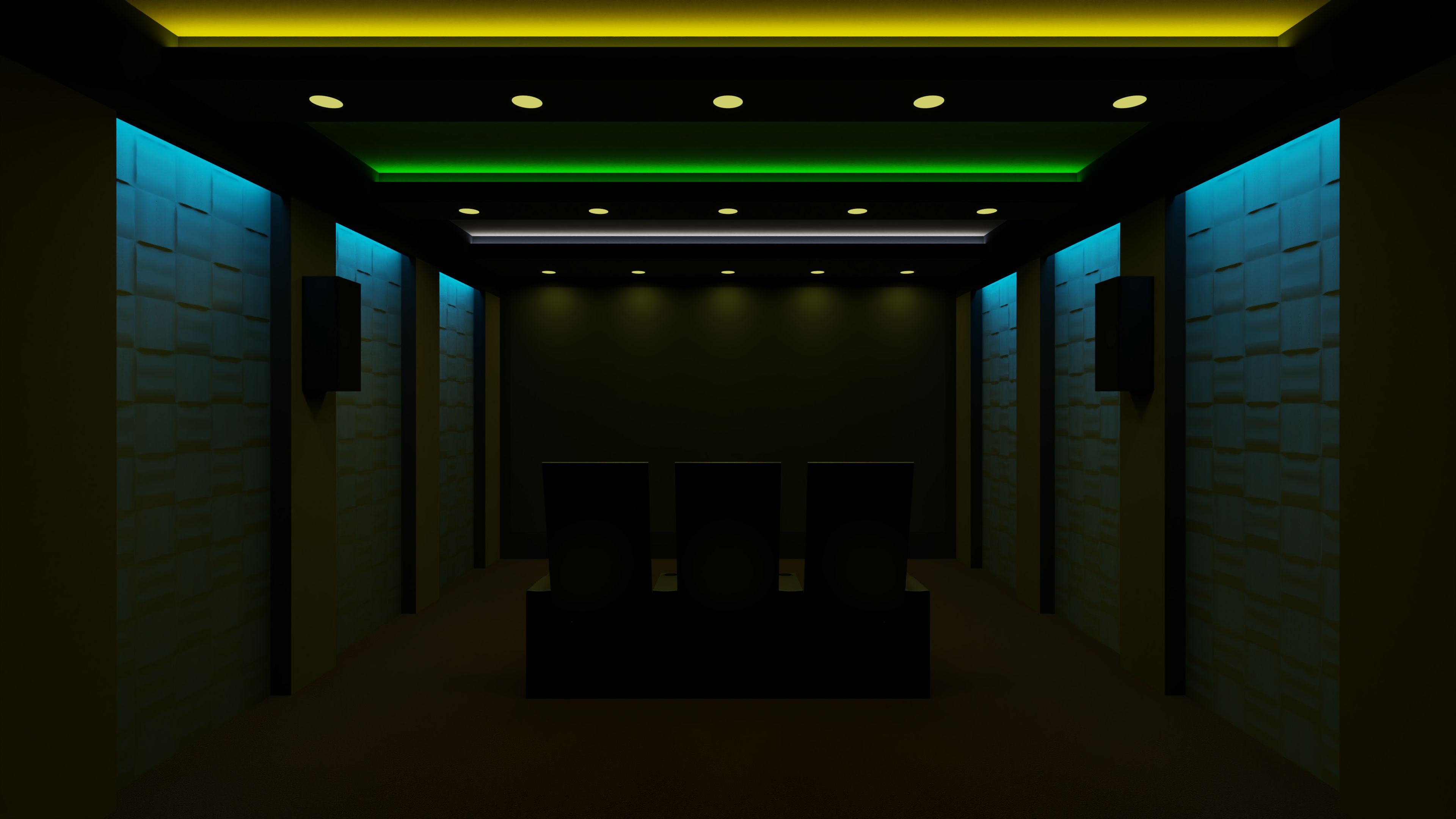
Oh, here something that I would like to show you (for those with eyesight). It's a home theater room made in Blender.
This is a rendering of my home theater made in Blender. It has a 200" projection screen, 7.2.4-channel speaker system, and comfy seats with cupholders in between.
My dream of a home theater will be a lot simplistic than that with flat ceilings with no light strips in between them. A home theater will be in a basement. Speaking of home theater, I could patch my home desktop over to my home theater while in the server closet if I want to watch YouTube/Odysee videos. How cool would that be if a house can have a central computer core just like in a starship such as U.S.S. Enterprise D or U.S.S. Voyager? Speaking of starships in Star Trek, do you know that a central computer core can span over several decks? Actually, a starship can contain two or more computer cores. My house might have only a single central computer core with a couple of rack-mounted desktops and servers as part of a homelab! Here is an example of a homelab shown in a YouTube video.
As for rack-mounted desktop PCs, I'm thinking of Rosewill RSV-L4500U Rackmount Server Chassis and put them inside a StarTech.com 42U Server Rack Cabinet. Oh, sure the rack-mounted enclosure costs more than an open-frame 42U rack, but to me, it will look a lot cleaner by having an enclosure. Now if only there are 5U or 6U rack-mountable computer cases so I can fit a tall heatsink such as Noctua NH-D15 or Scythe Ninja 5 heatsink. Now keep in mind. I do not care about the looks of computer components. No RGB fans, no tempered glass side panels from the likes of Lian-Li 011 Dynamic XL or even from Phanteks line of computer cases, no nothing.
Why!?
Out of sight, out of mind.
That's my mindset when it comes to computers. If you watch Star Trek, you must know that Captain James T. Kirk does not look at a central computer core every single day while he's in his quarter or in the bridge! No Starfleet officers should care about how cool computers look as long as they perform their jobs! Sorry elite gamers, but I do not like the market the computer case manufactures are targeting. Go look at how cool your computer looks while you are failing your Cisco CCNA course because hey! All that cool RGB fans and that NZXT Kraken Z73 cooler of yours are so much fun to look at! 🤣
As for me? I'm excelling in Cisco CCNA course! Why? My Silverstone FARA R1 computer case only has a plain side panel and is free of distractions. It's unfortunate that a computer case with a plain side panel is unavailable. But I have it! However, the limitation I have is I cannot take the case feet off so I can fit on top of a rack-mounted shelf.
Oh, did I meant to taunt you for having all that cool tempered glass computer case with all that RGB gizmos? Get over it! Seriously. I know you've been playing games 24/7 while you look at how cool your computer looks. Okay, okay. I'll be nice to you elite gamers! 🙂
If you want to get into the world of homelab, Lawrence Systems and Learn Linux TV has done a couple of videos for setting up different aspects of homelab such as Home Assistant, storage server, firewalls and switches, Linux, Ansible, securing your lab, and so much more. Check out the playlist on YouTube and enjoy! Any desktop PCs will be part of a homelab as well. And yes, RAID is not a backup solution. In a RAID 5 setup with 7 hard drives (6 for data and 1 for parity), if one drive fails, swap out the hard drive as soon as possible. But if two drives out of 7 fail, you lose all the data inside the hard drives.
Now here's a question. What about entertainment devices such as NVIDIA Shield TV, and PlayStation 5? These devices can sit on a rack-mountable shelf and can be patched to my home office room using an Ethernet-based USB extender. For HDMI, I can make use of Anthem MRX 740 for my home office room and use HDMI Zone 2 Out to pass HDMI audio/video signal to Anthem MRX 1140 receiver, which can go to the home theater room. What I've learned from a thread over at avforums.com is that the main receiver (MRX 740) will pass audio/video signal to another receiver and plays no part for processing A/V signals.
What that means is I can independently select a source in the second zone while the first source will remain intact in the main office room. Just tell Home Assistant to switch to NVIDIA Shield in the second zone of MRX 740 receiver, and Home Assistant will do the rest. Whatever is shown in MRX 1140 for the home theater room will reflect what was shown from MRX 740's HDMI Zone 2 output.
So yeah, centralizing desktop PCs in a wiring/server closet is my dream of the future! Centralize all the desktop computers into one 45U server rack! 🙂
Article published: 2021-08-14 17:42
Categories: Visionary Living and Exploring Tomorrow, Homes and Buildings, Home Theater, The World of Computers, Computers, Networking